
You shipped fast. You used Lovable, Cursor, or Replit Agent to go from idea to deployed app in days. The UI is clean, the features work, and users are starting to sign up. Then a potential enterprise customer asks: "Do you have a SOC 2 report?"
This is the vibe-coding wall. The moment speed meets accountability.
The good news: you don't have to rebuild your app from scratch, and you don't need a $50,000 security consultant on day one. You need a systematic way to enforce security controls on top of what you've already built — and you can use the same AI tools that built your app to harden it.
This post covers three of the most critical SOC 2 domains, what they actually mean for a vibe-coded app, and the exact prompts you can paste into Lovable (or any AI coding tool) to get them done.
What Is SOC 2, Actually?
SOC 2 (System and Organization Controls 2) is an auditing standard developed by the AICPA that evaluates how a software company handles customer data. It's organized around five Trust Services Criteria: Security, Availability, Processing Integrity, Confidentiality, and Privacy.
For most early-stage SaaS companies, the Security criteria is the one that matters first. It maps to concrete, enforceable controls across nine domains:
- Access Control
- Data Protection
- Network & Infrastructure Security
- Application Security
- Logging & Monitoring
- Change Management
- Vendor & Third-Party Risk
- Incident Response
- Policies & Documentation
A SOC 2 Type I report attests that your controls are designed correctly at a point in time. A SOC 2 Type II report attests that they operated effectively over a period (usually 6–12 months). Most enterprise customers eventually ask for Type II, which means you need to start building evidence now.
The controls aren't optional suggestions. They're the evidence trail an auditor will evaluate. And for a vibe-coded app — one assembled rapidly with AI assistance — many of these controls simply won't exist yet.
The Vibe-Coding Security Gap
AI coding tools are extraordinary at building features. They are not, by default, building security controls alongside those features. When you prompt Lovable to "build a user authentication system," you get a working login flow. You probably don't get:
- Role-based access control with least privilege enforcement
- Audit logs of authentication events
- Account lockout after failed attempts
- Session invalidation on logout
- PII scrubbed from error logs
- Parameterized queries protecting against SQL injection
- Encrypted fields for sensitive data at the application layer
These aren't bugs in the AI tools. They're a reflection of the fact that security controls require deliberate, explicit instruction. The same AI that built your app can add these controls — you just have to ask the right way.
That's what the prompts below are for.
Domain 1: Application Security
Application security is about what lives inside your code. It's the domain that covers how your app handles input, what it puts in HTTP responses, how it manages sessions, and whether your dependencies are silently carrying known vulnerabilities.
For a vibe-coded app, this is typically the highest-risk domain. Rapid generation tends to produce working code that handles the happy path well, but security edge cases — malformed input, unexpected parameter values, injected scripts — require explicit attention.
What SOC 2 Expects
The relevant controls map directly to the OWASP Top 10, which is the industry-standard taxonomy for web application vulnerabilities. An auditor evaluating application security will look for evidence that you've:
- Validated and sanitized all user inputs server-side
- Protected against injection attacks (SQL, command, LDAP)
- Set secure HTTP response headers
- Implemented CSRF protection
- Applied rate limiting to sensitive endpoints
- Conducted static analysis (SAST) in your CI/CD pipeline
- Performed at least one third-party penetration test annually
The Lovable Prompt
Paste this into Lovable (or Cursor, Replit Agent, or GitHub Copilot Workspace) on your existing project:
Audit and harden this web application for application-level security so it meets
SOC 2 readiness standards. Do not change any existing functionality, UI, or
business logic — only add or improve security controls. Apply the following
across the entire codebase:

## 1. OWASP TOP 10 REMEDIATION

- Review all user-facing inputs and API parameters. Sanitize and validate every
  input server-side (never trust client-side validation alone).
- Ensure no raw user input is ever rendered back into the DOM without proper
  output encoding (prevent XSS).
- Replace any raw SQL string concatenation with parameterized queries or
  ORM-safe equivalents (prevent SQL injection).
- Check all file upload endpoints: validate file type, enforce size limits, and
  never serve uploaded files from a web-accessible path without sanitization.
- Ensure no sensitive business logic can be triggered by an unauthorized user
  by simply guessing or modifying a URL, ID, or parameter (prevent IDOR and
  broken access control).

## 2. SECURE HTTP HEADERS

Add the following HTTP response headers to every page and API response:
- Content-Security-Policy (CSP): restrict sources for scripts, styles, images,
  and fonts to trusted origins only. Block inline scripts unless explicitly
  necessary.
- Strict-Transport-Security (HSTS): max-age=31536000; includeSubDomains
- X-Content-Type-Options: nosniff
- X-Frame-Options: DENY
- Referrer-Policy: strict-origin-when-cross-origin
- Permissions-Policy: disable camera, microphone, geolocation unless the app
  explicitly uses them

## 3. CSRF PROTECTION

- Implement CSRF tokens on all state-changing operations (POST, PUT, PATCH,
  DELETE).
- Validate the CSRF token server-side on every such request.
- Set cookies with SameSite=Strict or SameSite=Lax.

## 4. RATE LIMITING & THROTTLING

- Apply rate limiting to all public-facing endpoints, especially: login,
  signup, password reset, OTP/2FA verification, and any endpoint that sends
  emails or SMS.
- Return HTTP 429 with a Retry-After header when limits are exceeded.
- Implement exponential backoff or lockout after repeated failed auth attempts.

## 5. AUTHENTICATION & SESSION SECURITY

- Ensure all session tokens and auth cookies are set with HttpOnly, Secure,
  and SameSite flags.
- Enforce session expiry — idle sessions should expire after 15–30 minutes.
- Invalidate the session server-side on logout.
- Passwords must be hashed using bcrypt, scrypt, or Argon2 — never MD5 or
  SHA-1.
- Password reset tokens must be single-use, expire in ≤1 hour, and be
  invalidated after use.

## 6. SECRETS & CONFIGURATION MANAGEMENT

- Scan the entire codebase for hardcoded secrets: API keys, database
  credentials, JWT secrets, OAuth tokens, private keys. Remove every instance.
- Move all secrets to environment variables. Document required variables in a
  .env.example file with no real values.
- Ensure .env files are in .gitignore and will never be committed.
- If any secrets were previously committed to git history, flag them with a
  note to rotate those credentials immediately.

## 7. DEPENDENCY SECURITY

- Audit all dependencies for known CVEs.
- Update or replace any dependency with a high or critical severity
  vulnerability.
- Remove unused dependencies entirely.
- Add a note recommending Dependabot or Snyk be enabled on the repository.

## 8. ERROR HANDLING & INFORMATION DISCLOSURE

- Ensure production error responses never expose stack traces, database query
  details, internal file paths, server versions, or user enumeration hints.
- Replace all verbose error messages with generic, user-friendly ones in
  production.
- Log detailed errors server-side only — never send them to the client.

## 9. SAST SETUP

- Add a SAST tool appropriate to the tech stack (ESLint security plugin for
  JS/TS, Bandit for Python, Brakeman for Rails, Semgrep for general use).
- Configure it to run in CI/CD on every pull request.
- Fix all findings rated high or critical.

## 10. SECURITY DOCUMENTATION

Generate a security_changes.md file listing every change made, any deferred
issues with justification, any credentials found hardcoded that must be
rotated, and recommended next steps.

CONSTRAINTS: Do not break existing tests. Do not modify UI or user-facing
behavior. Flag anything you cannot implement automatically with a
// TODO: SECURITY comment and explanation.
What This Gets You
After running this prompt, you'll have documented evidence of:
- OWASP Top 10 review and remediation
- Secure headers on all responses
- CSRF protection on all mutations
- Rate limiting on sensitive endpoints
- Hardened session management
- No hardcoded secrets in the codebase
- Dependencies audited and updated
- SAST running in your pipeline
- A
security_changes.mdfile you can show to an auditor
Domain 2: Access Control
Access control is the most foundational SOC 2 domain. If application security is about what your code does with input, access control is about who is allowed to do what — and the evidence that you've enforced it consistently.
For vibe-coded apps, access control is often the most fragile area. It's common to see apps where the frontend hides certain buttons for non-admin users, but the underlying API endpoints have no server-side role checks. Or where every user in the database shares the same permission level because roles were never implemented. Or where offboarded users' sessions remain valid for days.
What SOC 2 Expects
An auditor evaluating access control wants to see:
- Role-based access control enforced server-side on every protected resource
- Least privilege: every role has only the permissions it needs
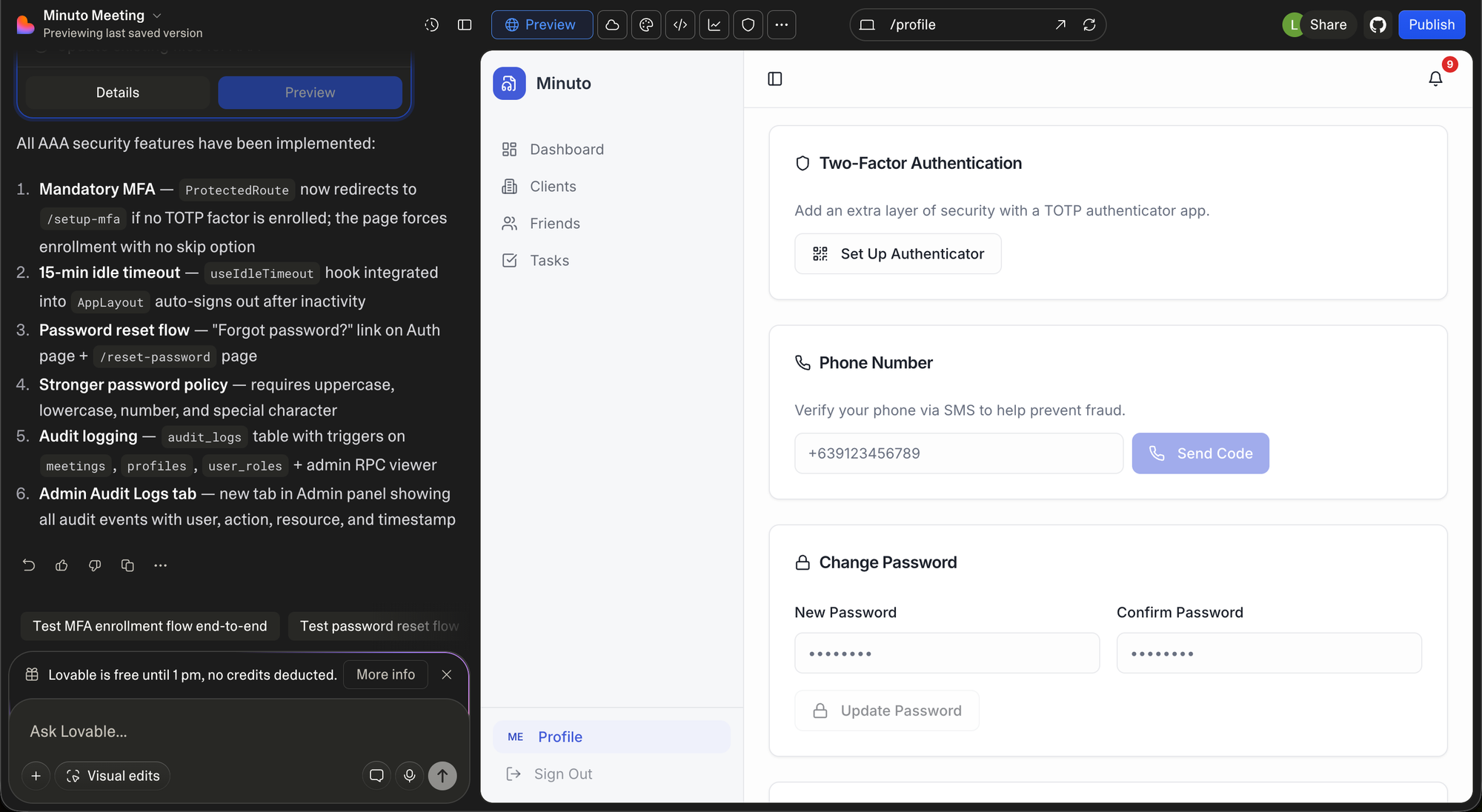
- MFA required (not optional) for privileged accounts
- Account lockout after repeated failed logins
- Quarterly access reviews with documentation
- Immediate revocation of access on offboarding
- An immutable audit log of all auth and permission events
The Lovable Prompt
Audit and harden this web application's access control layer so it meets SOC 2
readiness standards. Do not change any existing functionality, UI, or business
logic — only add or improve access control mechanisms.

## 1. ROLE-BASED ACCESS CONTROL (RBAC)

- Identify all user-facing routes, API endpoints, and server actions. Map each
  to the minimum role required to access it.
- Implement a centralized RBAC system with clearly defined roles (e.g., viewer,
  editor, admin, super_admin). Do not scatter role checks ad hoc.
- Enforce role checks server-side on every protected route and endpoint —
  never rely on the frontend to hide features as the only form of access
  control.
- Ensure role assignments are stored securely and cannot be self-modified by
  the user.

## 2. LEAST PRIVILEGE ENFORCEMENT

- Audit every role's permissions. Remove any access not explicitly required.
- Ensure no user-facing role has access to: database admin operations,
  infrastructure controls, billing overrides, or other users' private data
  unless explicitly required.
- Review any use of wildcard permissions (admin: true, permissions: ["*"]) and
  replace with explicit, scoped grants.

## 3. MULTI-FACTOR AUTHENTICATION (MFA)

- Enforce MFA for all admin and privileged accounts — required, not optional.
- Integrate with an MFA-capable auth provider or implement TOTP using a library
  like otplib.
- Ensure MFA enrollment cannot be skipped or bypassed via URL manipulation.
- Log all MFA events: enrollment, successful verification, failed attempts, and
  disablement.

## 4. PASSWORD POLICY ENFORCEMENT

- Enforce a minimum password length of 12 characters on both client and server.
- Reject breached passwords by checking against the HaveIBeenPwned Pwned
  Passwords API (k-anonymity model).
- Ensure all passwords are hashed with bcrypt, scrypt, or Argon2. Flag any use
  of MD5, SHA-1, or unsalted hashes immediately.
- After a password reset, invalidate the current session and require
  re-authentication.

## 5. ACCOUNT LOCKOUT & BRUTE FORCE PROTECTION

- After 5 consecutive failed login attempts, lock the account for a
  time-limited period (e.g., 15 minutes) with increasing delays on further
  attempts.
- Return a generic error on failed login ("Invalid email or password") — never
  reveal whether the email exists.
- Log every failed authentication attempt with timestamp, IP address, and user
  agent.
- Alert the account owner via email when: account is locked, a login occurs
  from a new device, or their role or permissions are changed.

## 6. ACCESS REVIEWS & AUDIT TRAIL

- Create an admin-only audit log recording every access control event:
    - User login and logout (timestamp and IP)
    - Failed login attempts
    - Role assignments and changes
    - Permission grants and revocations
    - Access to sensitive or privileged resources
- Audit log entries must be append-only — no user, including admins, should be
  able to delete or modify them.
- Add an admin UI panel (super_admin only) displaying the audit log with
  filtering by user, event type, and date range.

## 7. OFFBOARDING & ACCESS REVOCATION

- Implement an immediate account deactivation function callable by admins that:
    - Invalidates all active sessions across all devices
    - Revokes all API keys and OAuth tokens
    - Prevents future logins without deleting the account record or audit trail
- Deactivated accounts must not be reactivatable by the user — only an admin.
- Ensure deactivation events are written to the audit log with the acting
  admin's identity recorded.

## 8. SSO READINESS

- If not already using an identity provider, refactor authentication to support
  SSO via OAuth 2.0 / OIDC (Google Workspace, Microsoft Entra, Okta).
- Ensure SSO login does not bypass MFA.
- Verify tokens are validated server-side on every request, expiry is
  respected, and refresh tokens are stored securely (not in localStorage).

## 9. DEFAULT & UNUSED ACCOUNT CLEANUP

- Scan for and remove any default credentials, demo accounts, seed users, or
  test accounts present in the codebase or database migrations.
- Identify accounts inactive for 90+ days and flag them in the admin panel.
- Ensure service accounts are non-human, have no login UI, and have a defined
  rotation schedule.

## 10. AUTHENTICATION EVENT LOGGING

- Ensure every authentication event emits a structured log entry containing:
    event_type, user_id, timestamp (UTC ISO 8601), ip_address, user_agent,
    outcome
- Send logs to a centralized service (Datadog, Logtail, Papertrail, etc.) —
  not stored only in the local application database.
- Never log passwords, tokens, or credential material.
- Alert on: 10+ failed logins in 5 minutes from same IP, any super_admin
  login, any role escalation event.

CONSTRAINTS: Do not break existing tests. All role checks must be enforced
server-side. Frontend restrictions are UX only, never the sole enforcement
layer. Flag anything you cannot implement with // TODO: SECURITY and
explanation.

DELIVERABLE: Generate an access_control_changes.md listing every change, all
roles and permissions defined, any hardcoded credentials found, deferred
controls and why, and recommended next steps.
What This Gets You
- Server-side RBAC on every protected resource
- MFA enforced for privileged accounts
- Brute force protection with lockout
- An immutable audit trail of all auth events
- Immediate offboarding capability
- SSO-ready authentication architecture
- Evidence documentation in
access_control_changes.md
Domain 3: Data Protection
Data protection is where SOC 2 intersects most directly with regulations like GDPR and CCPA. It's also the domain where the consequences of failure are most severe — a breach of unencrypted customer data is both a regulatory and reputational catastrophe.
For vibe-coded apps, data protection issues tend to be architectural. The app works correctly, but nobody considered whether sensitive fields should be encrypted at the application layer, whether PII is leaking into logs, or whether the database connection is properly restricted.
What SOC 2 Expects
An auditor will look for:
- AES-256 encryption at rest for all data stores
- TLS 1.2+ enforced for all data in transit
- A data classification inventory
- PII and credentials never appearing in logs or error messages
- A defined and implemented data retention and deletion policy
- Backups encrypted, access-restricted, and restoration-tested
- Database access scoped to the minimum required
- No sensitive fields returned in API responses unnecessarily
- Secrets managed outside the codebase
- Application-layer audit logs for access to sensitive data
The Lovable Prompt
Audit and harden this web application's data protection layer so it meets SOC 2
readiness standards. Do not change any existing functionality, UI, or business
logic — only add or improve data protection controls.

## 1. ENCRYPTION AT REST

- Verify underlying storage uses AES-256. If using managed cloud services
  (AWS RDS, Supabase, Firestore), confirm encryption at rest is enabled and
  document it.
- For any data stored locally on disk (temp files, exports, logs), ensure
  storage volumes are encrypted or files are encrypted before being written.
- Ensure database backups are encrypted. Backup files must never be stored
  unencrypted in any environment.
- Flag any PII, financial, health, or credential fields stored in plaintext in
  the database. Encrypt these at the application layer using a library
  appropriate to the stack, in addition to storage-level encryption.

## 2. ENCRYPTION IN TRANSIT

- Enforce HTTPS across the entire application with HTTP-to-HTTPS redirect at
  the server or infrastructure level.
- Set HSTS on all responses:
  Strict-Transport-Security: max-age=31536000; includeSubDomains; preload
- Verify all outbound requests to third-party APIs and services are made over
  TLS. Flag any http:// URLs used for outbound requests.
- Ensure database connection strings use encrypted connections (sslmode=require
  for PostgreSQL, ssl: true for MySQL/MongoDB).
- If WebSockets are used, ensure they use wss:// not ws://.
- Verify TLS 1.0 and TLS 1.1 are rejected. Only TLS 1.2 and 1.3 accepted.

## 3. DATA CLASSIFICATION

- Inventory and classify all data fields into:
    - PUBLIC: freely shareable
    - INTERNAL: not public but not sensitive
    - CONFIDENTIAL: sensitive user/business data (emails, names, IPs)
    - RESTRICTED: regulated data (passwords, payment info, SSNs, API keys)
- Document this in a data_classification.md file.
- For every RESTRICTED field, verify it is: encrypted at application layer,
  never logged, never returned in API responses unless necessary, masked in
  admin UIs.

## 4. PII & SENSITIVE DATA MASKING IN LOGS

- Scan all logging statements for potential output of: email addresses, names,
  phone numbers, IP addresses, passwords, auth tokens, payment details, or any
  CONFIDENTIAL/RESTRICTED field.
- Remove or mask every such instance with redacted placeholders.
- Implement a centralized logging utility that automatically strips a defined
  list of sensitive field names before any log is written.
- Configure error tracking tools (Sentry, Datadog, etc.) to scrub sensitive
  fields before transmission.

## 5. DATA RETENTION & DELETION

- Define retention periods for each data category:
    - User account data: retained while active + defined days after deletion
    - Logs and audit trails: minimum 12 months, then purged
    - Session data: purged on expiry or logout
    - Temporary files: deleted within 24 hours
    - Backups: retained for defined period then auto-expired
- Implement a user account deletion flow that removes or anonymizes all PII,
  revokes all sessions and tokens, and retains only legally required records.
- Add a scheduled job that purges expired sessions, temp files, and data past
  retention window on a daily basis.
- Document the full retention schedule in a data_retention_policy.md file.

## 6. BACKUP ENCRYPTION & RESTORATION

- Verify all automated database backups are encrypted at rest, stored in a
  separate environment from production, and access-restricted.
- Ensure backup credentials and restoration procedures are documented in a
  runbook.
- Verify backup storage does not have public read access. Enforce bucket
  policies accordingly.
- Add a note to test backup restoration at least quarterly and document the
  last successful test date.

## 7. DATABASE ACCESS RESTRICTION

- Ensure the application connects to the database using a dedicated service
  account with only required permissions — not a root or superuser account.
- Ensure the database is not publicly accessible. It should only accept
  connections from the application server's IP range or VPC.
- Remove any database GUIs deployed alongside production (phpMyAdmin, Adminer).
- Ensure connection strings are never hardcoded, loaded from environment
  variables only.

## 8. SENSITIVE DATA IN API RESPONSES

- Audit all API responses. Ensure the following are never present: password
  hashes, internal database IDs enabling enumeration, other users' PII, auth
  tokens, internal system metadata.
- Implement response serializers or DTOs to explicitly allowlist returned
  fields per resource — never return entire database rows directly.
- Ensure paginated endpoints apply ownership and role checks so users cannot
  enumerate other users' data.

## 9. SECRET & KEY MANAGEMENT

- Scan the entire codebase for hardcoded secrets. Remove every instance.
- Migrate to environment variables. Document in .env.example with no real
  values.
- For production, configure a secrets manager (AWS Secrets Manager, GCP Secret
  Manager, HashiCorp Vault, Doppler, Infisical).
- Ensure encryption keys are: stored in the secrets manager, unique per
  environment, and rotatable without downtime using key versioning.

## 10. AUDIT LOG FOR DATA ACCESS

- Implement structured audit logging for all access to CONFIDENTIAL and
  RESTRICTED data, recording: event_type, resource_type, resource_id, user_id,
  timestamp (UTC ISO 8601), ip_address, user_agent, outcome.
- Bulk data exports must require elevated confirmation and always generate an
  audit log entry.
- Audit log entries must be append-only and immutable.
- Forward all data access audit logs to a centralized logging service.

CONSTRAINTS: Do not break existing tests. Do not modify UI beyond what is
strictly required. All encryption changes must be backwards-compatible —
existing data must remain readable. Flag anything you cannot implement with
// TODO: SECURITY and explanation.

DELIVERABLE: Generate a data_protection_changes.md file listing every change,
the full data classification inventory, data retention schedule, any hardcoded
secrets found, any encryption gaps requiring infrastructure changes, deferred
controls with justification, and recommended next steps.
What This Gets You
- Encryption at rest confirmed and documented across all storage layers
- HTTPS enforced with HSTS headers
- PII scrubbed from all logs and error outputs
- A formal data classification inventory
- A data retention policy with automated enforcement
- Database access scoped and restricted
- API responses sanitized — no leaking internal fields
- Secrets moved out of the codebase into a secrets manager
- Audit logs for all sensitive data access
Putting It Together: Your SOC 2 Readiness Workflow
Running these three prompts gives you a strong foundation across the three domains where vibe-coded apps are most commonly deficient. Here's a practical order of operations:
Week 1 — Application Security Run the Application Security prompt first. It addresses the most immediately exploitable vulnerabilities — injection attacks, missing headers, exposed secrets. These are the issues that could cause a breach before you even start your SOC 2 journey.
Week 2 — Access Control Access Control creates the structural foundation for everything else. You can't demonstrate least privilege, proper offboarding, or audit trails without this layer in place.
Week 3 — Data Protection Data Protection requires the most coordination with your infrastructure. Some of these controls (backup encryption, database access restriction, secrets manager onboarding) require changes outside the codebase. The prompt will flag these clearly.
Ongoing — Collect Evidence SOC 2 Type II requires evidence of sustained operation. From the moment these controls are in place, you're building the evidence trail: audit logs, change records, access review documentation, and the output files each prompt generates.
What These Prompts Don't Cover
These prompts handle the code and configuration layer. A full SOC 2 readiness program also requires:
- Network & Infrastructure Security: VPC configuration, firewall rules, WAF setup — these require infrastructure-level changes in AWS/GCP/Azure.
- Logging & Monitoring: A SIEM or centralized log aggregation platform with alert rules.
- Change Management: A formal pull request and code review process documented in policy.
- Vendor & Third-Party Risk: DPAs signed with every data processor, annual vendor SOC 2 reviews.
- Incident Response: A written IRP with defined severity levels and a tested runbook.
- Policies & Documentation: A formal Information Security Policy, employee security training, and a risk register.
- A Qualified Auditor: Ultimately, a SOC 2 report requires engagement with a licensed CPA firm. These prompts prepare you for that engagement — they don't replace it.
The Bigger Point
SOC 2 readiness isn't a one-time project. It's a continuous program of evidence collection, control operation, and periodic review. But the hardest part — getting the controls in place to begin with — is exactly the kind of structured, well-defined engineering work that AI coding tools are excellent at executing.
The prompts in this post are stack-agnostic. They work on Next.js, Rails, Django, Laravel, Express, or any other framework. They're designed to leave existing functionality untouched while adding the security layer on top. And they each produce a documentation artifact that doubles as audit evidence.
Vibe-coding got your app to market. These prompts get it enterprise-ready.
The full SOC 2 readiness checklist covering all nine domains — with 81 controls tagged by severity — is available as an interactive checklist. The remaining six domains (Network & Infrastructure, Logging & Monitoring, Change Management, Vendor Risk, Incident Response, and Policies & Documentation) will be covered with their own AI prompts in subsequent posts in this series.